 |
The Knights of Ni 2024
CenterStage Off-season Documentation
|
|
The Knights of Ni 2024
CenterStage Off-season Documentation
|
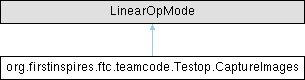
This OpMode illustrates how to open a webcam and retrieve images from it. More...
Public Member Functions | |
| void | runOpMode () |
Private Member Functions | |
| void | onNewFrame (Bitmap frame) |
| Do something with the frame. | |
| void | initializeFrameQueue (int capacity) |
| void | openCamera () |
| void | startCamera () |
| void | stopCamera () |
| void | closeCamera () |
| void | error (String msg) |
| void | error (String format, Object... args) |
| boolean | contains (int[] array, int value) |
| void | saveBitmap (Bitmap bitmap) |
Private Attributes | |
| CameraManager | cameraManager |
| State regarding our interaction with the camera. | |
| WebcamName | cameraName |
| Camera | camera |
| CameraCaptureSession | cameraCaptureSession |
| EvictingBlockingQueue< Bitmap > | frameQueue |
| The queue into which all frames from the camera are placed as they become available. | |
| int | captureCounter = 0 |
| State regarding where and how to save frames when the 'A' button is pressed. | |
| final File | captureDirectory = AppUtil.ROBOT_DATA_DIR |
| Handler | callbackHandler |
| A utility object that indicates where the asynchronous callbacks from the camera infrastructure are to run. | |
Static Private Attributes | |
| static final String | TAG = "Webcam 1" |
| static final int | secondsPermissionTimeout = Integer.MAX_VALUE |
| How long we are to wait to be granted permission to use the camera before giving up. | |
This OpMode illustrates how to open a webcam and retrieve images from it.
It requires a configuration containing a webcam with the default name ("Webcam 1"). When the opmode runs, pressing the 'A' button will cause a frame from the camera to be written to a file on the device, which can then be retrieved by various means (e.g.: Device File Explorer in Android Studio; plugging the device into a PC and using Media Transfer; ADB; etc.)
|
private |
The frame queue will automatically throw away bitmap frames if they are not processed quickly by the OpMode. This avoids a buildup of frames in memory
|
private |
YUY2 is supported by all Webcams, per the USB Webcam standard: See "USB Device Class Definition for Video Devices: Uncompressed Payload, Table 2-1". Further, often this is the only image format supported by a camera
Verify that the image is supported, and fetch size and desired frame rate if so
Some logic below runs asynchronously on other threads. Use of the synchronizer here allows us to wait in this method until all that asynchrony completes before returning.
Create a session in which requests to capture frames can be made
The session is ready to go. Start requesting frames
A new frame is available. The frame data has not been copied for us, and we can only access it for the duration of the callback. So we copy here manually.
Wait for all the asynchrony to complete
Retrieve the created session. This will be null on error.
|
private |
A utility object that indicates where the asynchronous callbacks from the camera infrastructure are to run.
In this OpMode, that's all hidden from you (but see startCamera if you're curious): no knowledge of multi-threading is needed here.
|
private |
The queue into which all frames from the camera are placed as they become available.
Frames which are not processed by the OpMode are automatically discarded.
|
staticprivate |
How long we are to wait to be granted permission to use the camera before giving up.
Here, we wait indefinitely